Hey everyone, I’m Jake, been selling mill-turn machines for over 12 years now, and let me tell you—9 out of 10 shop owners I talk to say their biggest pain point isn’t the machine itself, it’s the setup time. You fire up a brand-new mill-turn, and you’re staring at 3+ hours just to change over from a shaft to a chuck part? That’s dead money sitting on the floor, right? I’ve seen guys lose thousands a month because they’re waiting around for setup to finish, not running parts. So today, I’m breaking down the actual, actionable stuff we teach our clients to cut that setup time in half—no fancy fluff, just real world fixes I’ve watched work. Mill-Turn Machine Machine

First, let’s get one thing straight: a lot of people treat setup like a “do once, hope it works” kind of step. That’s your first mistake. Mill-turn machines do double duty—milling and turning—so you’re dealing with two tool systems, two workholding setups, and a control that needs to sync both. If you’re planning every changeover cold, you’re wasting time. The fix here is “parallel prep.” Here’s how we do it with our own machines: when a job wraps, we don’t shut everything down and walk away. The minute the last part is cut, one of our techs pulls out the next job’s tool list and workholding specs while the machine is still running that final piece. Wait, you can’t hold two jobs at once? No problem—we use a dedicated tool trolley for each product line, pre-staggered so each tool is mounted in its right pocket, preset to the exact length and diameter it needs. No more popping tools in and out mid-setup, measuring each one by hand. Our presetters (the ones we sell as add-ons, but trust me, worth every penny) let you load tool offsets off the machine, so you don’t spend 20 minutes testing each tool to get it right. I had a guy last month who was taking 4 hours to set up a hydraulic valve part; with parallel prep and pre-preset tools, he knocked it down to 1 hour 15 minutes. That’s not a fluke—That’s just stopping to do work before the machine’s idle.
Next up, workholding. This is where so many shops cut corners, and it’s a killer for mill-turn setup. You need workholding that works for both turning and milling, not just one. A lot of guys stick with a 3-jaw chuck for turning, then clamp a vice on top for milling—switching every time, that’s 10-15 minutes right there. What we push for is a modular workholding system. We use quick-change chucks and collet adapters that lock in with a single bolt, no aligning pins, no messing with runout. Wait, you’ve got odd-shaped parts? For those, we use zero-point clamping plates that let you swap a fixture in 30 seconds flat. I worked with a aerospace shop that was changing between turbine blades and compressor hubs every day—they were taking 2.5 hours per changeover. Once they swapped to modular zero-point fixtures, that went to 45 minutes. Also, stop re-machining your fixtures every time. If you have a high-volume job, make a dedicated fixture once, and keep it on its plate. Store those plates in a rack right next to the mill-turn so you don’t have to drag them across the shop. Oh, and double-check runout before you lock the fixture—nothing kills a setup faster than realizing your part is 0.005” off center after you’ve spent 20 minutes milling it. Runout checks take 2 minutes with a dial indicator, way less than rework.
Then there’s the control side. Mill-turn controls aren’t like regular lathe or mill controls—they have to sync two axes, and a lot of guys don’t use that to their advantage. Most modern mill-turns (including ours, fyi) have a feature called “setup wizards” that walk you through changing jobs step by step, instead of scrolling through 50 menus to find a tool offset. But almost no one uses them! I see guys type in every X and Y coordinate manually, when the wizard lets you load a job file straight from your CAM software. Wait, you use a different CAM program? No problem—most mill-turn controls import files from Mastercam, SolidWorks CAM, whatever you’re using. That means you don’t have to re-program every tool path on the machine, which cuts hours off setup. Another trick: save your setup profiles. If you run the same style of part every week—say, a 1” steel shaft—save the tool offsets, workholding positions, and spindle speeds as a profile name “Steel Shaft 1 inch.” Next time you need that, you pull up the profile, swap the tools, and go. We had a guy who ran 15 different shaft parts; after saving profiles, his setup time went from 2 hours to 25 minutes. It sounds small, but those minutes add up to full days a month.
Wait, what about tooling organization? I can’t tell you how many shops have tools scattered on workbenches, in random drawers, so when setup time comes, they’re hunting for a ½ inch end mill or a boring bar. We teach our clients to use color-coded tool trays. Each tray is for a specific job type: turning tools, milling tools, drill bits, whatever. And label every single tool. No more grabbing a random tool and measuring it on the machine. Also, keep a spare set of the most common tools right next to the mill-turn. If you’re running a lot of ¾ inch drills, having one pre-set and ready to go means you don’t have to wait for the presetter or hunt through the tool room. One of our repeat customers, a automotive parts maker, lost about 8 hours a month hunting for tools. Now, they have a “go-to” tool rack, and that’s 8 hours a month they’re making parts, not looking for wrenches.
Now, let’s talk about a few common mistakes that people make that actually slow setup down. First, trying to do too much manually. I get it, old habits die hard—your dad ran a machine that you set up with a tape measure and a calculator, so you’re used to that. But mill-turn machines have digital readouts, presetters, auto-tool changers (ATCs) for a reason. Those things aren’t just fancy toys, they’re designed to cut time. Second, not training your team. If your operator doesn’t know how to use the setup wizard, or how to swap a zero-point fixture, they’re gonna take twice as long as someone who does. We offer free setup training with every machine we sell, because we know a trained operator is the biggest time saver. I had a shop owner who hired a new operator, and they cut his setup time by 50% in a week—just because the old guy didn’t know how to use the control’s sync feature.
Wait, one more big one: minimize part handling. Every time you touch a part, move it, re-clamp it, that’s time wasted and a chance for error. With mill-turn machines, you can sometimes do both operations (turning and milling) without moving the part at all, right? If you re-clamp, you’re adding runout and time, so program your CAM to run turning first, then milling, all in one setup. A lot of guys split the job between two machines, but that means moving the part to another machine, checking it, re-clamping—total setup time jump. Our mill-turns are built to do both in one spot, so if you use that, you cut out all that extra handling.
Let’s do a quick real example to make this concrete. Take a mid-sized machine shop that runs hydraulic components: they make 3 types of valve bodies, 4 times a week. Before they worked with us, their setup process was: stop the machine, remove the old fixture, drag a new vice over, measure each tool by hand, input coordinates manually, test every tool. That took 3 hours and 20 minutes per setup. After we implemented our tips: 1) Prepped next job’s tools while the machine was running, used presetters, 2) Swapped to modular zero-point fixtures, 3) Saved setup profiles on the control, 4) Used color-coded tool trays. Their setup time went to 1 hour 10 minutes. That’s 2 hours and 10 minutes more time running parts every setup. For 20 setups a month, that’s 43 hours of extra production time. At $50 an hour in labor and machine costs, that’s $2,150 extra a month. No new employees, no overtime, just smarter setup.
Now, I’m not gonna lie—some of these changes cost a little money upfront, but it’s way less than the money you’re losing from idle time. The presetters, modular fixtures, color-coded trays—all things we sell, all things we’ve tested to work with our mill-turns. But you don’t have to do everything at once. Start small: add a zero-point plate for your most common fixture, start saving setup profiles, color-code your tool trays. Try one thing first, see how it works, then add another.
At the end of the day, reducing setup time on a mill-turn isn’t about buying the fastest machine—it’s about working smarter, not harder. It’s about stopping waste before it happens, prepping when the machine’s still running, using the tools the control gives you, and organizing your workspace so you don’t waste time searching for stuff.
If you’re tired of watching your mill-turn sit idle while you set up, and you want to cut your setup time down without sacrificing part quality, feel free to reach out. We can walk you through what would work for your shop, no sales pitch, just straight advice.
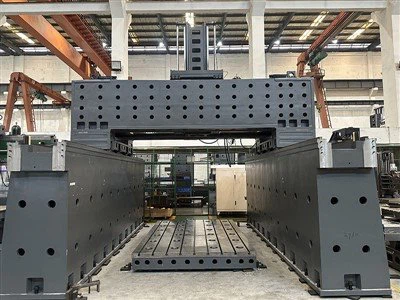
CNC Turning Center Frame References:
- Modern Machine Shop. (2022). "Reducing Mill-Turn Setup Time: Industry Best Practices"
- Society of Manufacturing Engineers (SME). (2021). "Modular Workholding for Multi-Tasking Machines"
- Haas Automation. (2023). "Mill-Turn Control Setup Wizards: User Guide"
- Machining Science and Technology Journal. (2020). "Parallel Prep Strategies for Multi-Function Machine Changeovers"
- Production Machining. (2022). "Tool Organization That Cuts Setup Time by 40%"
Smartech Machinery & Equipment Co., Ltd.
As one of the most professional mill-turn machine machine manufacturers and suppliers in China, we also support customized service. Please rest assured to buy bulk mill-turn machine machine made in China here from our factory. Contact us for more details.
Address: Room 2832, Changping Commercial Mansion, Shihua Road, Futian Free Trade Zone, Shenzhen, China
E-mail: smartech@smartechcnc.cn
WebSite: https://www.smartech-cnc.com/
